


- Admin
- Sep 16, 2026
- Travel Planning & Destination Guides
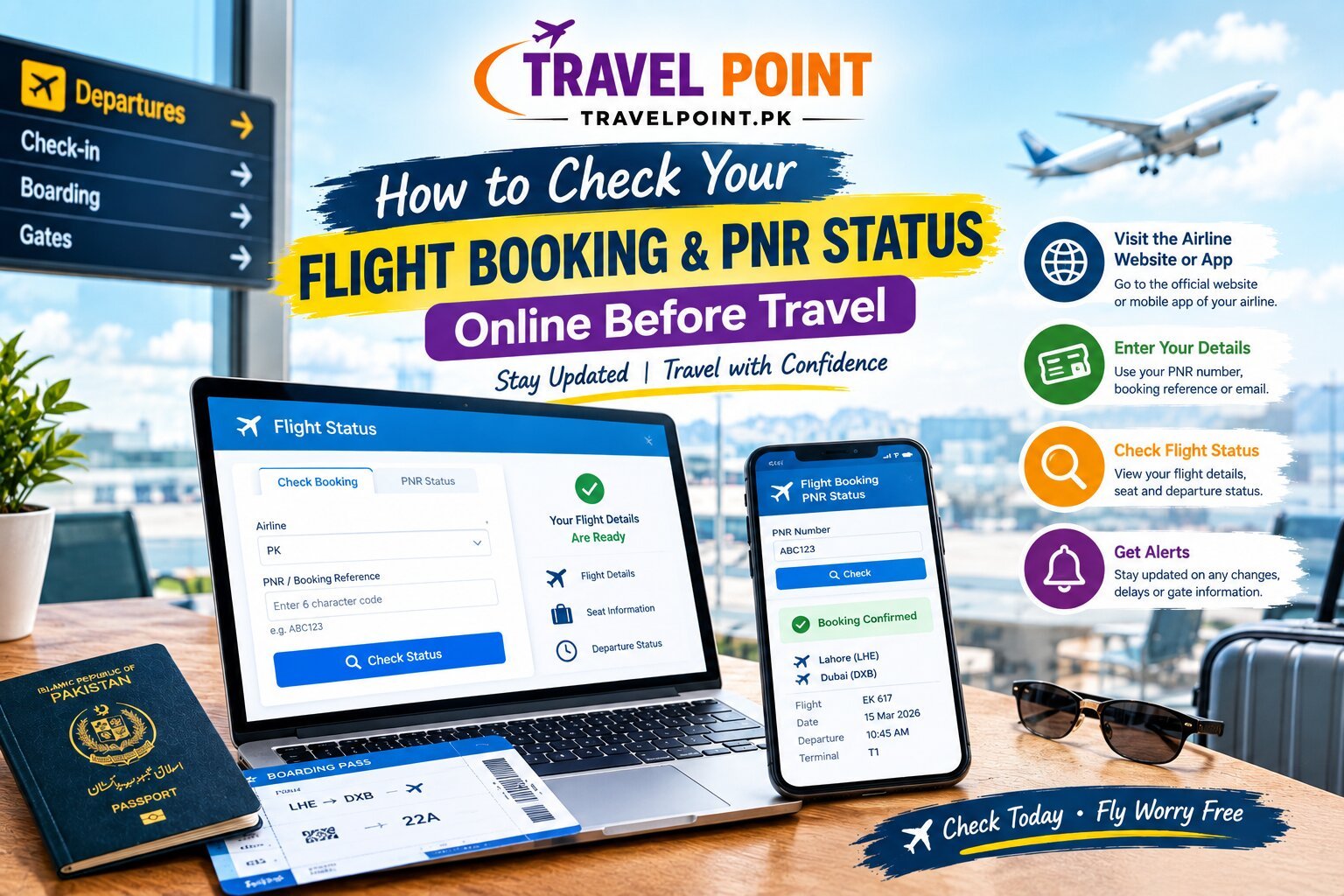
How to Check Your Flight Booking and PNR Status Online Before Travel
How to Check Your Flight Booking and PNR Status Online Before Travel
You have paid for your flight. You have received a confirmation email. But is your booking actually confirmed? This is a question every traveler asks and it is one of the most important checks you can make before heading to the airport.
In Pakistan, thousands of travelers face last-minute surprises every year: unconfirmed tickets, mismatched passenger names, or reservations that never made it into the airline's system. Knowing how to check flight booking online before your departure can save you hours of frustration and sometimes an entire trip.
This guide explains everything from PNR numbers and e-ticket verification to what to do when a booking cannot be found step by step, in plain language.
What Is a PNR Number and Why Does It Matter?
A PNR number (Passenger Name Record) is a unique code assigned to every flight booking. It typically contains 6 characters a combination of letters and numbers and it's how airlines store and identify your reservation in their system.
Your PNR status tells you whether your booking is:
● Confirmed seat is reserved and payment processed
● Waitlisted awaiting a confirmed seat
● Cancelled booking is no longer active
Every time you book a flight whether directly through an airline, a travel agency, or a marketplace the airline generates a PNR number and records your booking details against it. You can find it in your confirmation email or on your e-ticket.
What Is the Difference Between a PNR and an E-Ticket Number?
Many travelers confuse these two. They are related but serve different purposes. Here's a clear comparison:
|
Detail |
PNR Number |
E-Ticket Number |
|
Format |
6 characters (e.g., ABC123) |
13 digits (e.g., 2171234567890) |
|
Purpose |
Identifies your reservation |
Proves ticket ownership |
|
Where Found |
Booking confirmation email |
E-ticket receipt or PDF |
|
Used For |
Check-in, booking retrieval |
Airport verification, refunds |
Both are important. Your PNR gets you into the airline's system. Your e-ticket number a 13-digit code confirms legal ownership of the ticket. If your travel agent only gives you one and not both, ask for the missing document.
How to Check Your Flight Booking Online Step by Step
Learning how to check flight booking online is simpler than most travelers expect. Here is the standard process that works across almost every major airline:
1. Open the Airline's Official Website Always use the airline's own website. Avoid unofficial lookup tools, as these may show outdated or incorrect data.
2. Go to "Manage Booking" or "My Trips" Most airlines have a clearly labeled section for retrieving existing reservations.
3. Enter Your Details You will need your PNR number or booking reference and your last name exactly as it appears on your ticket.
4. Review Your Booking Once retrieved, your full flight reservation details will appear, including passenger name, flight number, and departure date.
5. Confirm the Status Look for the word "Confirmed." If you see "Waitlisted" or "Cancelled," contact your agent or airline immediately.
This is the fastest and most reliable way to complete flight booking verification before your travel date.
Want to explore international flights from Pakistan? Compare Malaysia tour packages, top 5 countries tour packages, and more on Travel Point Pakistan's trusted travel marketplace.
How to Check Your PNR Status on an Airline Website
Every airline display PNR status differently, but the process is nearly identical. Here's a quick reference for airlines popular with Pakistani travelers:
PIA (Pakistan International Airlines)
Visit the official PIA website and go to "Manage Booking." Enter your PNR number and last name to check your booking status.
Emirates
Use the "Manage a Booking" section at emirates.com. Enter your booking reference and last name to retrieve your reservation.
Turkish Airlines
Visit turkishairlines.com and access "Manage Booking." Your flight booking status will appear after entering your reservation code.
Qatar Airways
Use the "Manage Booking" section at qatarairways.com. You can retrieve your booking using your PNR or e-ticket number.
For international flight booking from Pakistan, always cross-verify your reservation directly with the operating airline not just through your travel agent's confirmation.
What Details Should You See in a Confirmed Booking?
When you successfully check flight reservation, a genuine confirmed booking should display all of the following:
● Full passenger name (matching your passport exactly)
● Flight number
● Departure airport and arrival airport
● Departure date and departure time
● Seat assignment (if selected)
● Baggage allowance
● Booking status: Confirmed
● PNR number or booking reference
If any detail is missing or incorrect especially the passenger’s name contact the airline or travel agent immediately. A mismatched name is one of the most common reasons for check-in denial at the airport.
How to Check If Your Airline Ticket Is Genuine
Airline ticket verification is critical especially when booking through third-party agents. In Pakistan, over 80% of travel fraud cases involve bookings that were never actually confirmed with the airline.
Here is how to verify your ticket is real:
● Check directly on the airline's website using your PNR number this is the most reliable method
● Call the airline and confirm your reservation by passenger name and flight number
● Verify the e-ticket format a genuine ticket has a 13-digit ticket number starting with the airline's IATA code
● Compare your confirmation email with the airline's system all details must match exactly
Always ask your travel agent for the airline's own booking confirmation not just their internal receipt. A WhatsApp screenshot from an agent is not an official airline confirmation.
What If Your Booking Cannot Be Found Online?
If you enter your PNR number and the airline returns "not found" or "invalid booking reference," do not panic but act quickly.
Common reasons a booking may not appear:
● The booking is still being processed (allow 24 to 48 hours after payment)
● The PNR number was entered incorrectly
● The booking was made under a slightly different passenger name
● The reservation was cancelled due to a payment issue
● The ticket was never actually issued
What to do:
6. Double-check the PNR number from your confirmation email
7. Try again using your e-ticket number instead
8. Contact your travel agent and request the airline's own confirmation document
9. Call the airline's customer service directly
10. If no confirmation is available, request a refund immediately
Never travel to the airport without a confirmed flight booking. If your booking cannot be found online, treat it as unconfirmed until the airline says otherwise.
Planning a domestic trip? Discover Naran Kaghan tour packages, Kashmir tour packages 2026, and Northern areas tour packages on Travel Point.
What Should You Do If Your Flight Schedule Changes?
Airlines occasionally change flight times, reroute flights, or cancel departures entirely. Here's how to stay ahead of any disruptions:
● Check your booking regularly not just once after payment
● Enable airline SMS and email notifications
● Re-verify your flight departure status at least 72 hours before departure
● Check again 24 hours before departure
● If your flight is rescheduled, you are typically entitled to a free rebooking or full refund
Important distinction: a PNR status check tells you whether your booking is confirmed. A live flight status check tells you whether the actual flight is operating on time. Always check both before departure.
Common Flight Booking Verification Mistakes to Avoid
Even experienced travelers make these errors. Here's what to watch out for:
● Using unofficial websites to check PNR status always use the airline's official website
● Ignoring the passenger name your name must match your passport exactly
● Not saving the booking confirmation always download and store a PDF copy
● Relying only on WhatsApp screenshots from a travel agent these are not official airline confirmations
● Waiting until the day of travel to verify verify at least one week before departure
● Confusing PNR with e-ticket number both are needed for complete flight booking verification
A small oversight in flight booking verification can turn into a very serious problem at the airport.
How Travel Point Helps Pakistani Travelers Plan Smarter
Travel Point is a trusted travel marketplace based in Pakistan with over 5 years of experience connecting travelers with verified service providers. Whether you are planning an international trip or exploring domestic destinations, Travel Point helps you:
● Discover listed travel agencies and tour operators
● Compare travel packages and prices side by side
● Access information on visa services, tours, and flights
Service providers listed on Travel Point such as Parwaz Travel & Tours are examples of businesses travelers can explore and compare through the platform.
Travel Point does not book on your behalf. Instead, it empowers you to discover your options, compare services, and connect with providers helping you make informed, confident decisions.
Looking for trusted travel agencies in Pakistan? Visit Travel Point to discover, compare, and connect with verified travel service providers.
Frequently Asked Questions About PNR and Flight Bookings
How can I check my flight booking online?
Visit the airline's official website, go to "Manage Booking," and enter your PNR number and last name. Your full flight reservation will appear if the booking is confirmed. This is the standard process for how to check flight booking online across all major airlines.
What is a PNR number on a flight ticket?
A PNR number is a 6-character code that identifies your reservation in the airline's system. It stands for Passenger Name Record and is generated the moment a booking is made.
Is a PNR number the same as a booking reference?
In most cases, yes. Both terms refer to the same code used to retrieve your airline booking. Some airlines use slightly different terminology "confirmation number," "reservation code," or "booking code" but they all serve the same function.
What should I do if my PNR is not found?
Re-enter your details carefully using the exact name on your ticket. If the PNR is still not found, contact your travel agent and request the airline's own confirmation document. Never travel without a confirmed reservation.
Can I check my flight booking without a PNR?
Yes. Many airlines allow retrieval using your e-ticket number and last name through the "Manage Booking" section. Some also allow lookup by ticket number or frequent flyer details.
How can I check my international flight booking from Pakistan?
Visit the operating airline's official website directly. For flight booking verification from Pakistan, always cross-check with the airline not just your travel agent's confirmation. This ensures your booking is genuinely active in the airline's system.
Ready to Plan Your Next Trip?
Checking your flight details before leaving for the airport can save you from unnecessary stress. Take a few minutes to confirm your booking status, PNR details, passenger name, flight number, and departure date through the airline’s official system.
Once your travel details are confirmed, the next step is choosing the right travel options for your journey. Travel Point helps Pakistani travelers discover and compare travel services and providers in one place, making it easier to explore suitable options before booking.
Explore Travel Point today to discover travel options for your next journey and plan with greater confidence.
Share on